![MO Logo2x-Aug-24-2023-10-41-10-4741-AM.png]](https://content.magicorange.com/hs-fs/hubfs/MO%20Logo2x-Aug-24-2023-10-41-10-4741-AM.png?height=40&name=MO%20Logo2x-Aug-24-2023-10-41-10-4741-AM.png)
Below is an example gif of the error:
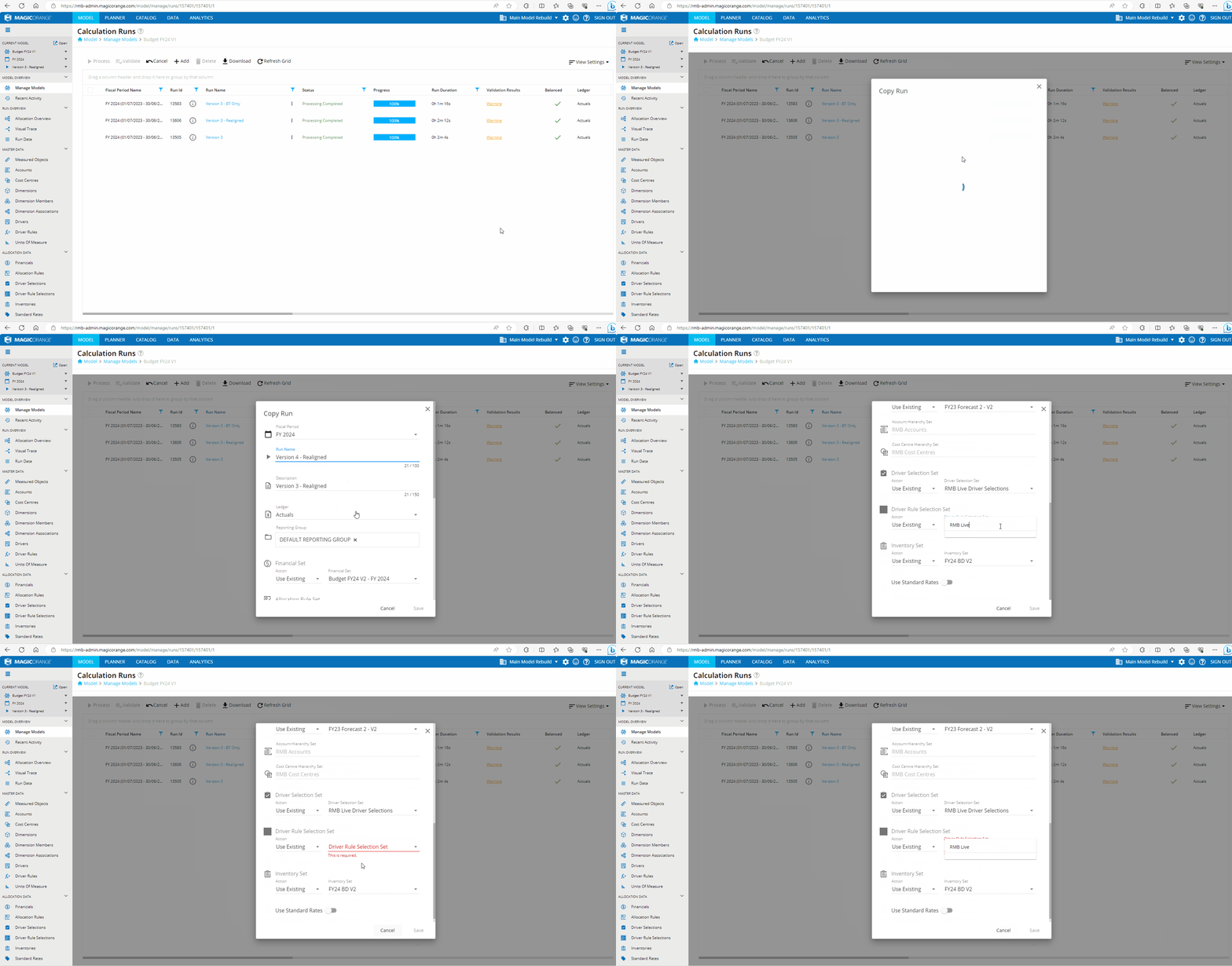 This error is seen when there is a problem loading the new Driver Rule Selection Set icon in the back-end. This then prevents the existing sets from showing in the dropdown.
Resolution Steps:
To resolve this issue, a consultant would need to clear browser cache and reload the MagicOrange application.
Steps to clear browser cache:
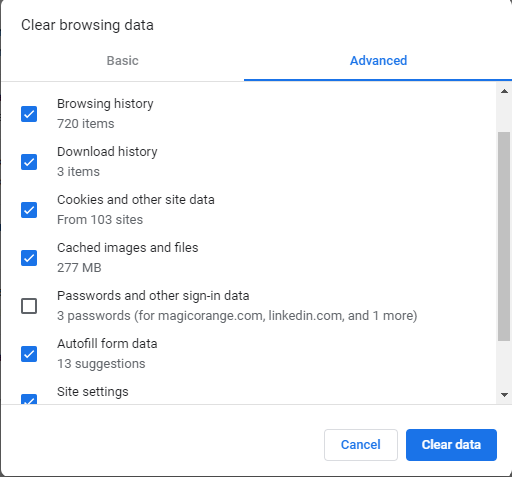
Clear the cache in Google Chrome browser by pressing CTRL and H keys simultaneously on the keyboard and choosing clear browser history option then advanced and tick all the boxes as per screenshot, click on clear data then close and open Chrome again.
N.B This issue should go away when AngularJS goes away in the near future.